
Flytedesk
user dashboard + responsive ad shopThe Details :
Full-time internship (May - August 2019)
Responsibilities: digital product design, responsive web, backlog management
Spending the summer working with Flytedesk was a valuable (and eye-opening) introduction to the daily life of a designer out in the wild. Similar to my past experiences working with startups, I wore multiple hats and the lines between roles were blended in a constant effort to achieve a common goal. A single engineering team was led by the VP of product and a product designer - my tasks were defined in support of their efforts on a number of projects in development during my time with the company.
Flytedesk 101
Flytedesk aims to support college media publications by connecting local businesses and national brands with the available advertising opportunities that reach students across the country. Traditional print and digital ads, along with various on-campus options including billboards, digital signs, stickers, and street teams are available on the platform’s Ad Shop, a country wide online store curated by individual publications as a reflection of their current advertising inventory.
Navigating College Media
My first week at Flytedesk included a yearly planning session, a product team offsite meeting, transparent company-wide strategy meetings with all 20 employees in attendance, and multiple conversations about the core values of the company and working agreements of individual teams. This was all in parallel to daily onboarding meetings for new hires to get up to speed on the history of college media, product roadmap, and company values and vision.
Team building activities around Boulder rapidly transitioned into the reality of a newly trained agile team by week two, with white-boarding sessions that resulted in sticky notes spanning entire conference room walls from floor to ceiling and 60 minute meetings turning into afternoon long discussions about usability and ad statuses. It was without a doubt information overload, but in my opinion the perfect way to get a feel for what was in store in the coming months.
Inventory and Tagging: Admin Tracking Tables
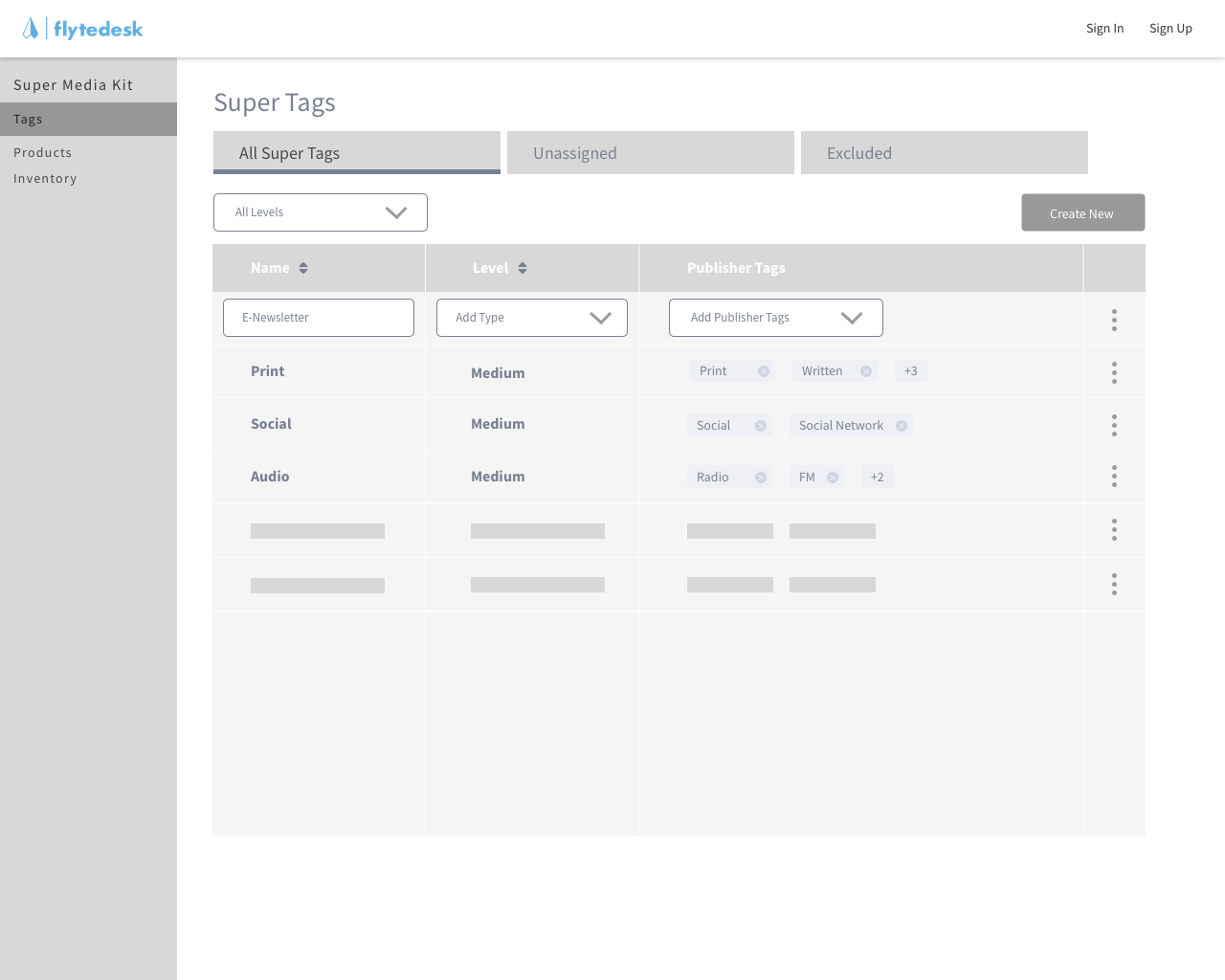
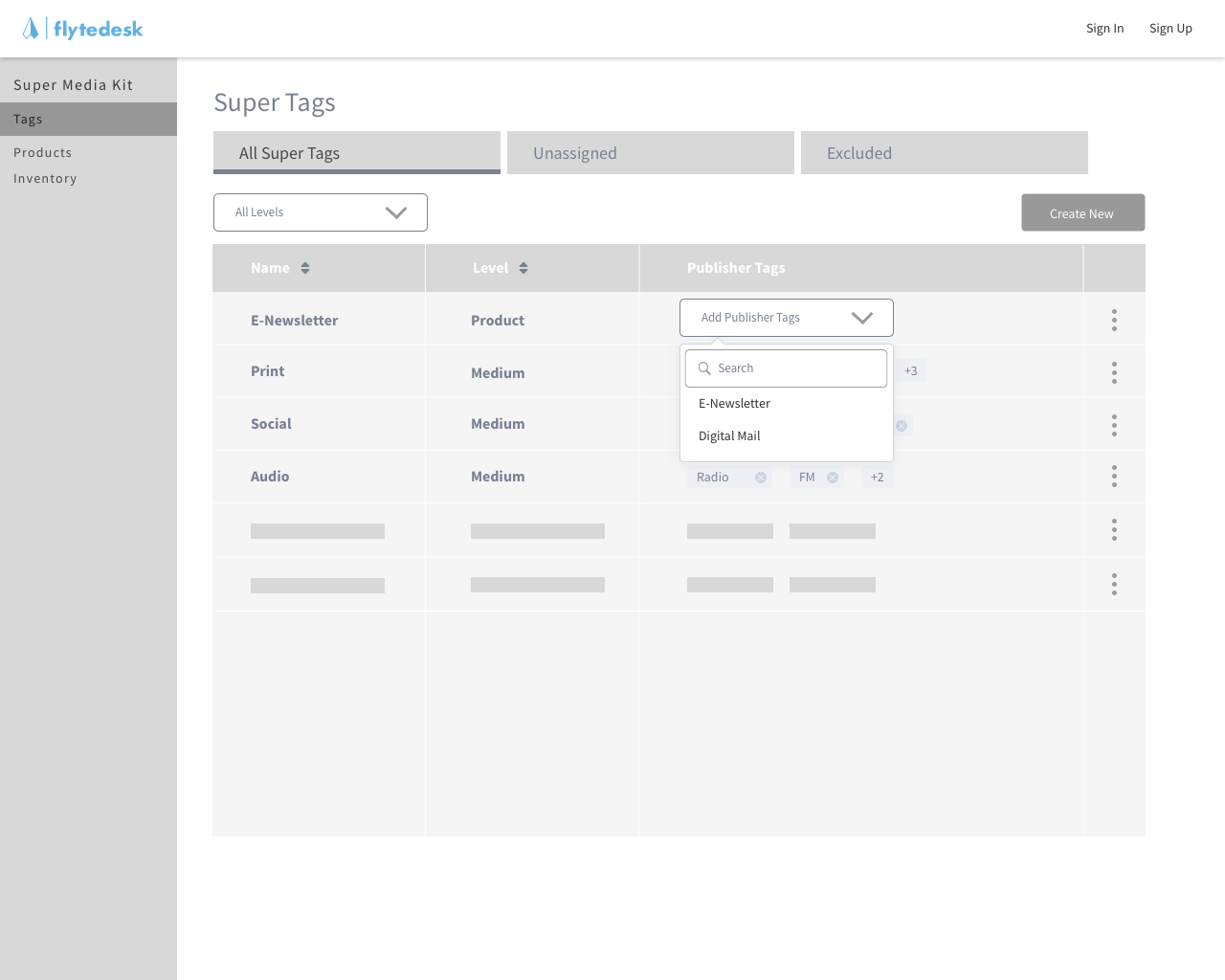
My first project was a set of low fidelity wireframes designed for internal admins at Flytedesk to track and manage the tags created by users within the platform. These tags represent the inventory available across all categories within a given customer’s ad shop and must be kept up to date in order for national brands to book campaigns successfully.
Presenting information within tables is a given for most aspects of the Flytedesk platform, and through this project I learned to appreciate the value of well organized data, as well as the difficulties that arise when large amounts of content are constrained to a single view. Below is an example of the basic user flow for a common interaction.
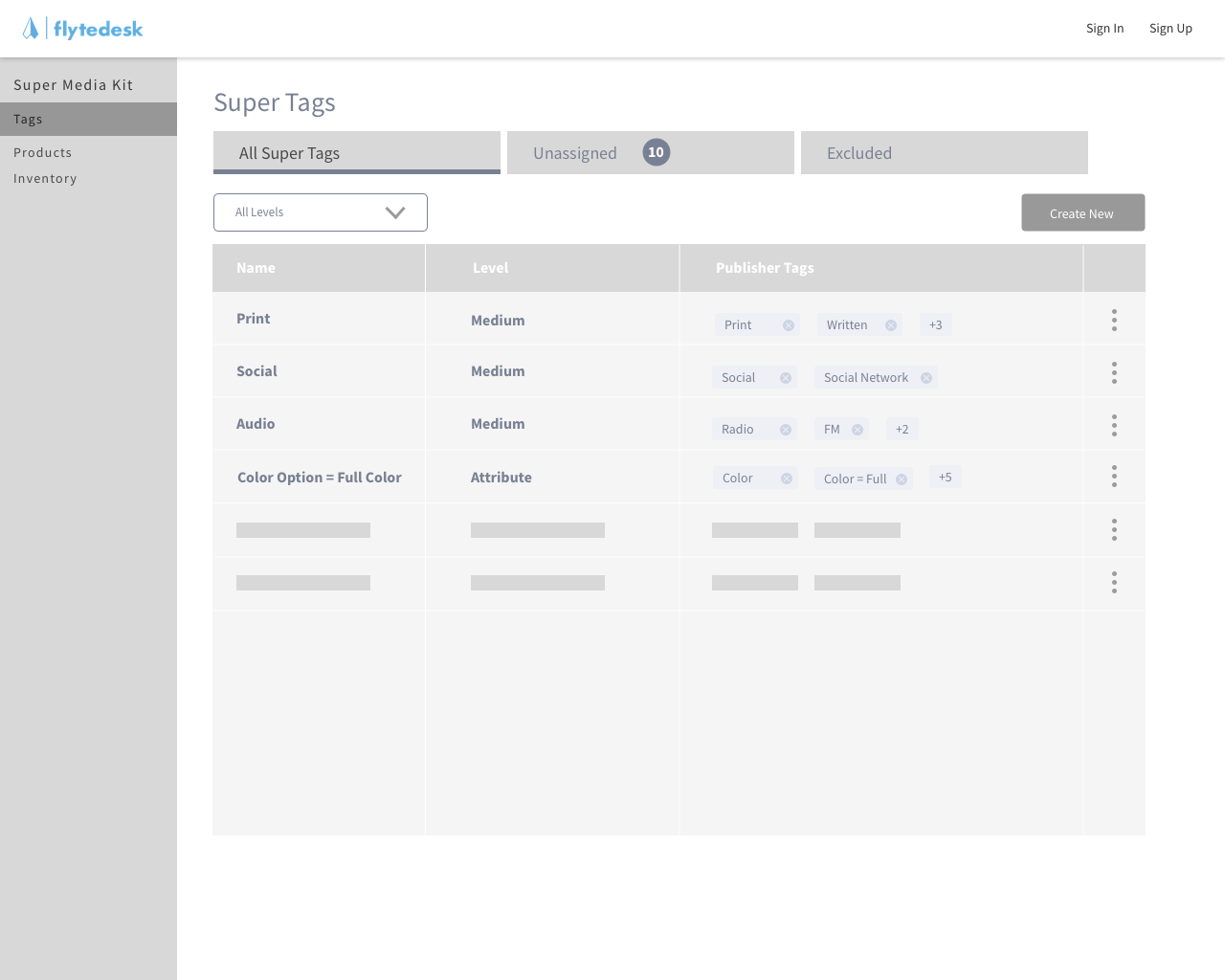
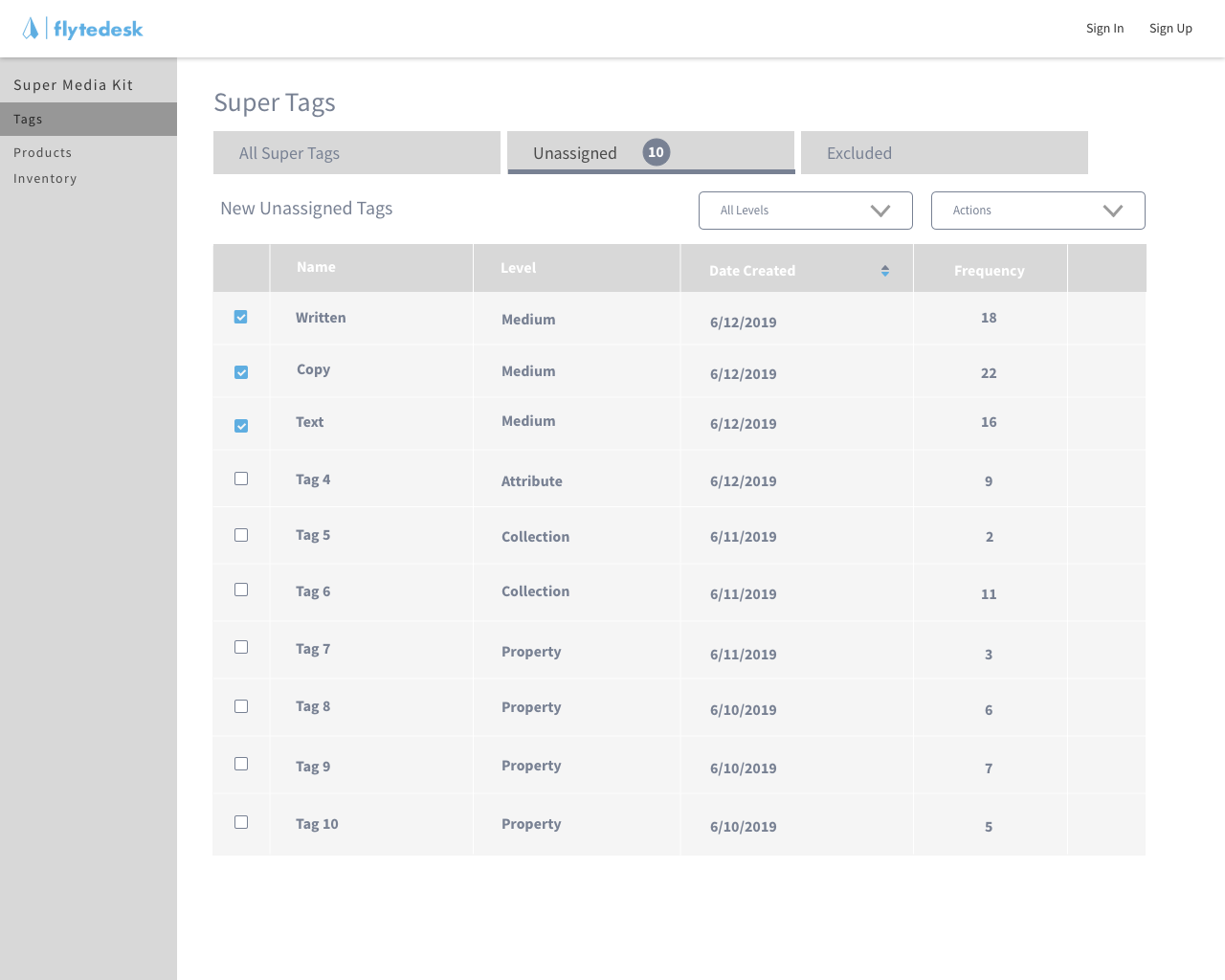
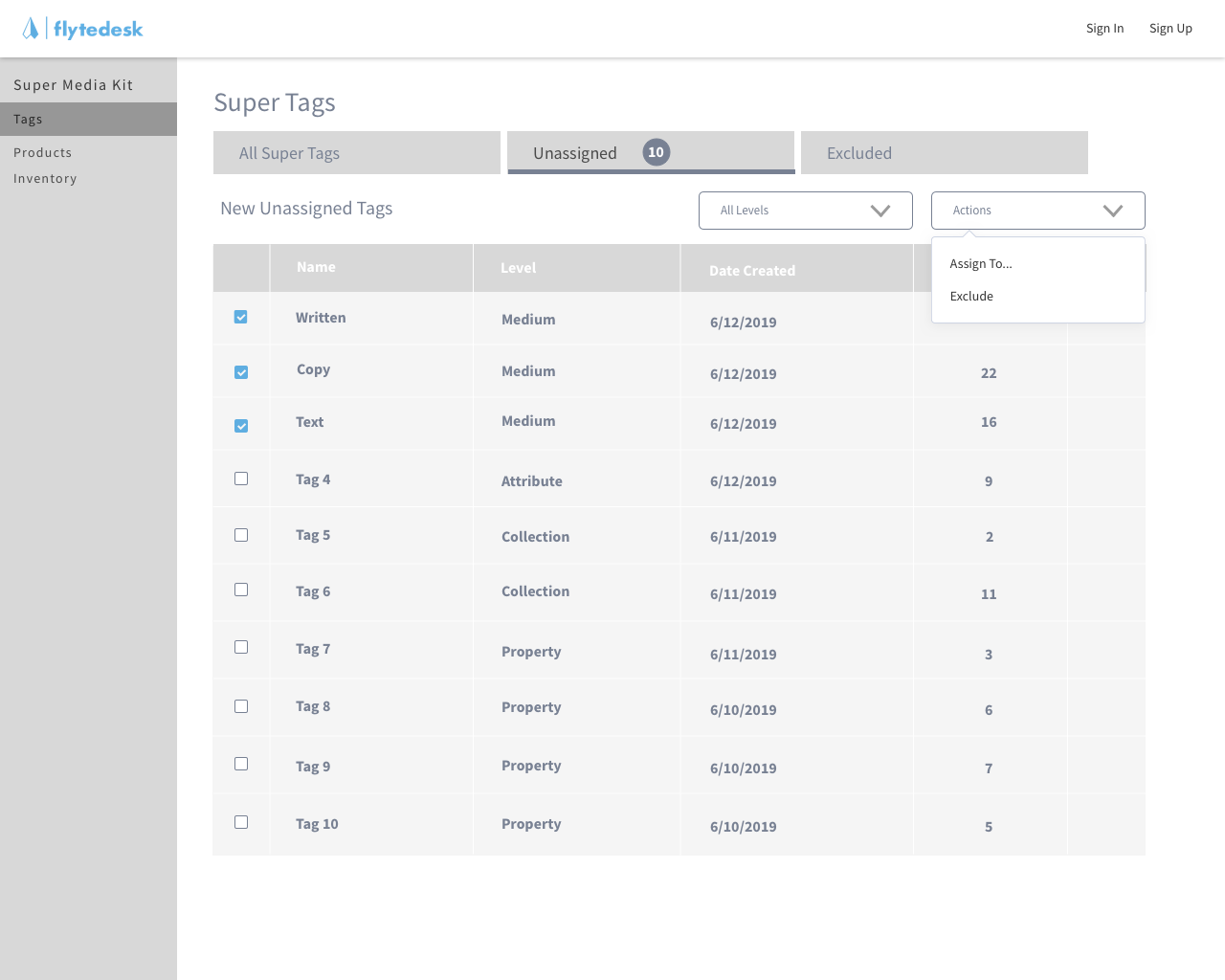
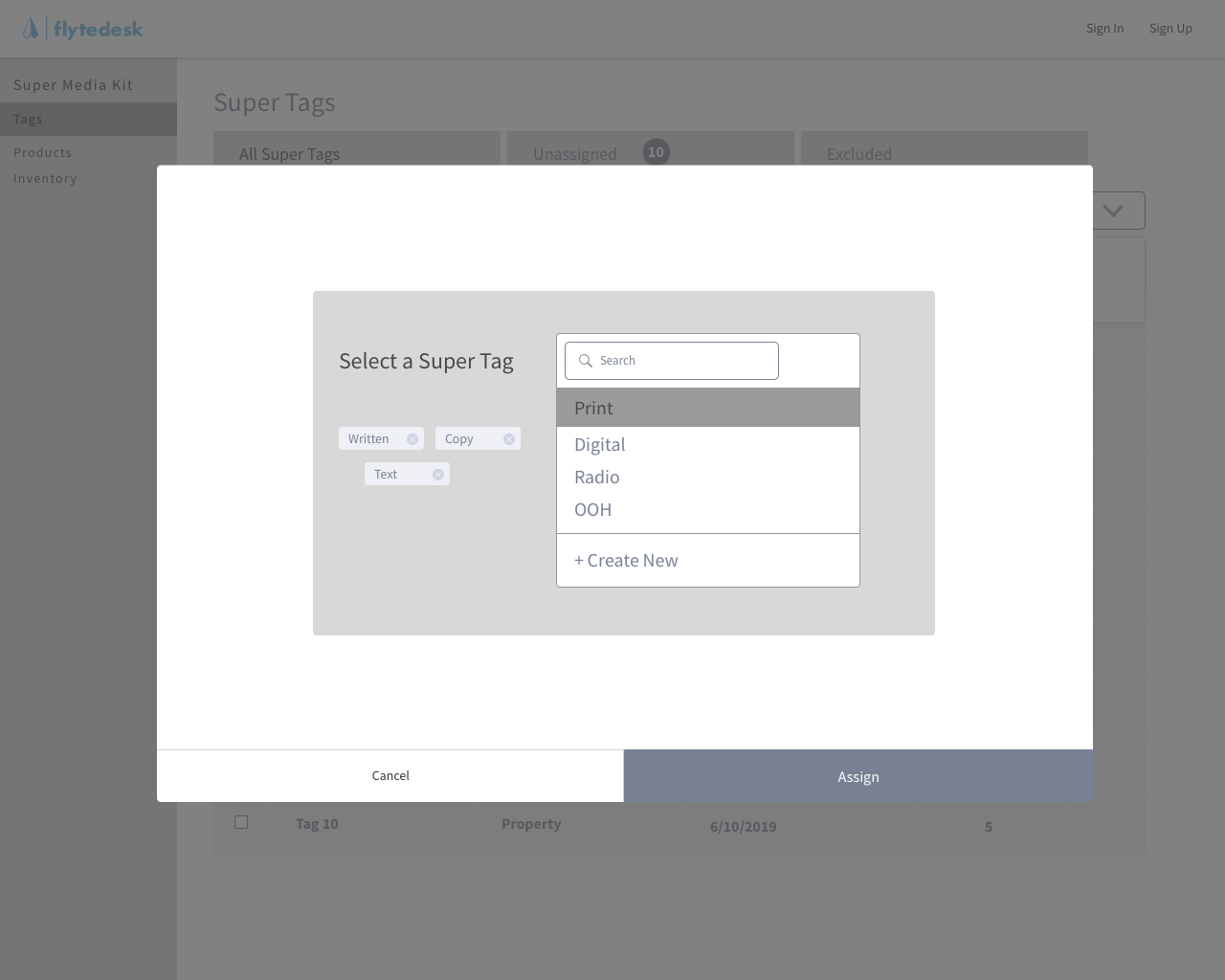
The project evolved rapidly through user testing I conducted with internal stakeholders. Having easy access to the people that would be using the tool in their daily workflow (they sat on the other side of the office and were more than willing to discuss their needs and provide feedback) made my job a bit more straightforward. These sessions highlighted a few consistent needs.
A simple way to assign user-generated tags to a global “super tag” for national consistency.
The ability to exclude irrelevant tags.
The option to create and manage a new product within the product list table.
Inline editing provided a simple way to add a new product path on the tags page.
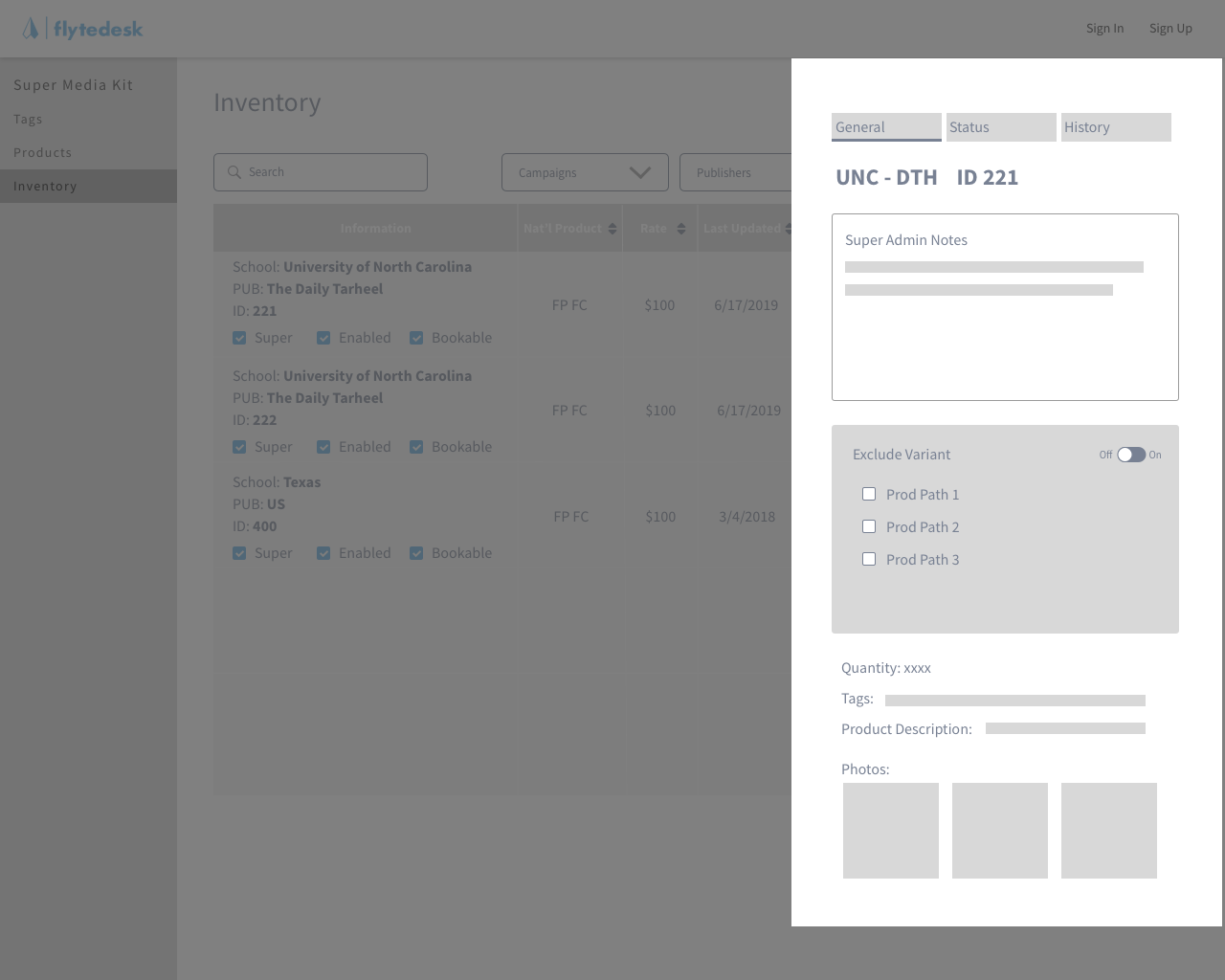
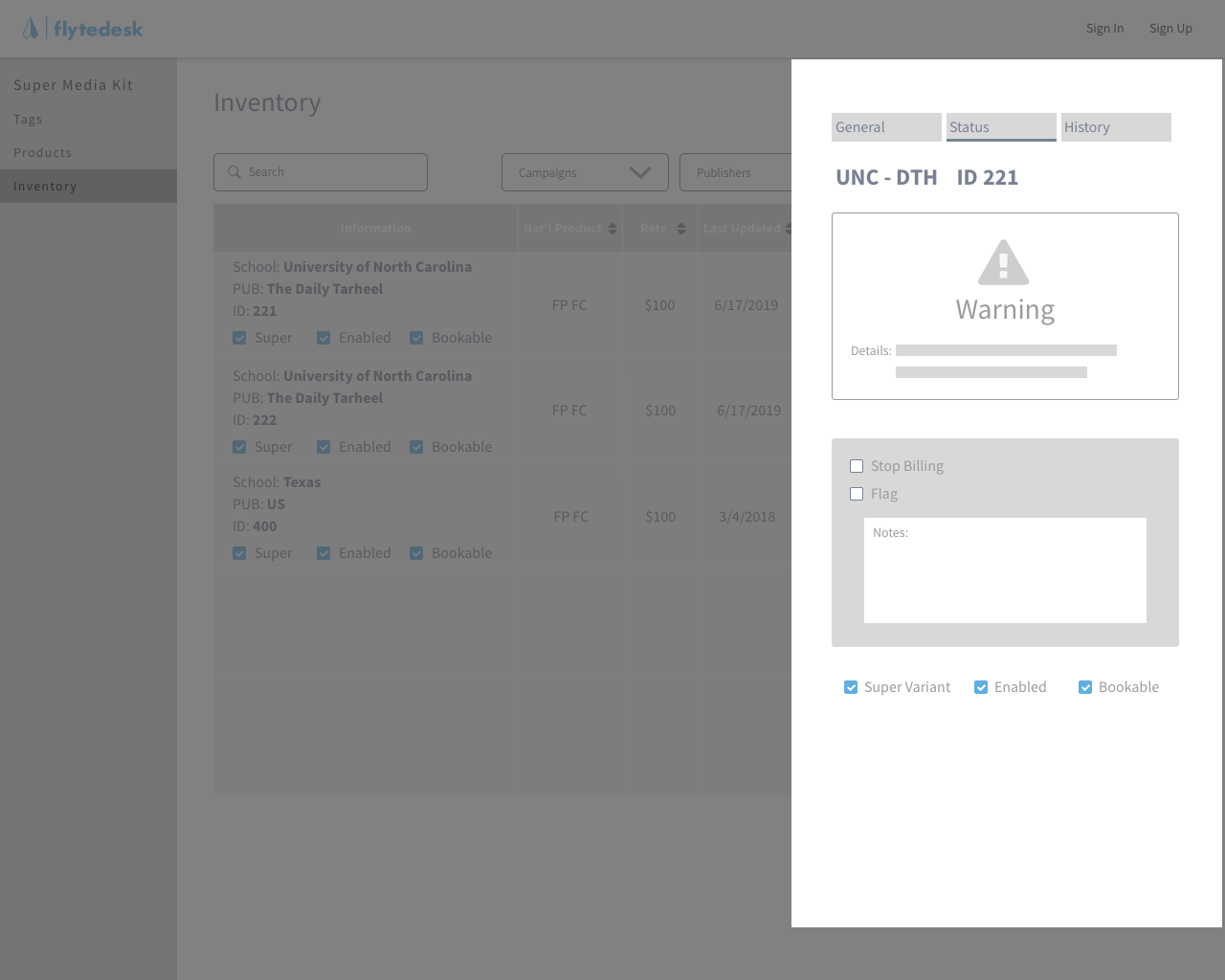
Working on the inventory page created the biggest challenge from a content perspective. After reaching a limit on what could be displayed in a traditional table view, I experimented with a slide-out drawer that incorporated tabs corresponding to critical user actions. This addition was later approved in the final designs and released to production.

User Dashboard
My second contribution to the team came to be mostly by accident. I made an effort throughout my time at Flytedesk to attend meetings across all departments, aiming to learn as much as possible about the inner workings of the company. Having a better understanding of the needs of coworkers outside of the product team helped to inform my design decisions for internal tools, and gave me a clearer sense of frequently requested customer-facing features.
During a brainstorming session focusing on customer communication - think general email cadences and notifications intended to drive critical actions on pending tasks - I suggested that a dashboard could be an effective way to cut down on the number of emails sent out to users. This comment evolved in to a series of interviews with power-users to validate the idea, and eventually a high fidelity mockup of a dashboard landing page for the Flytedesk platform.
Update: A basic MVP of the dashboard concept is live in production as of November 2019.
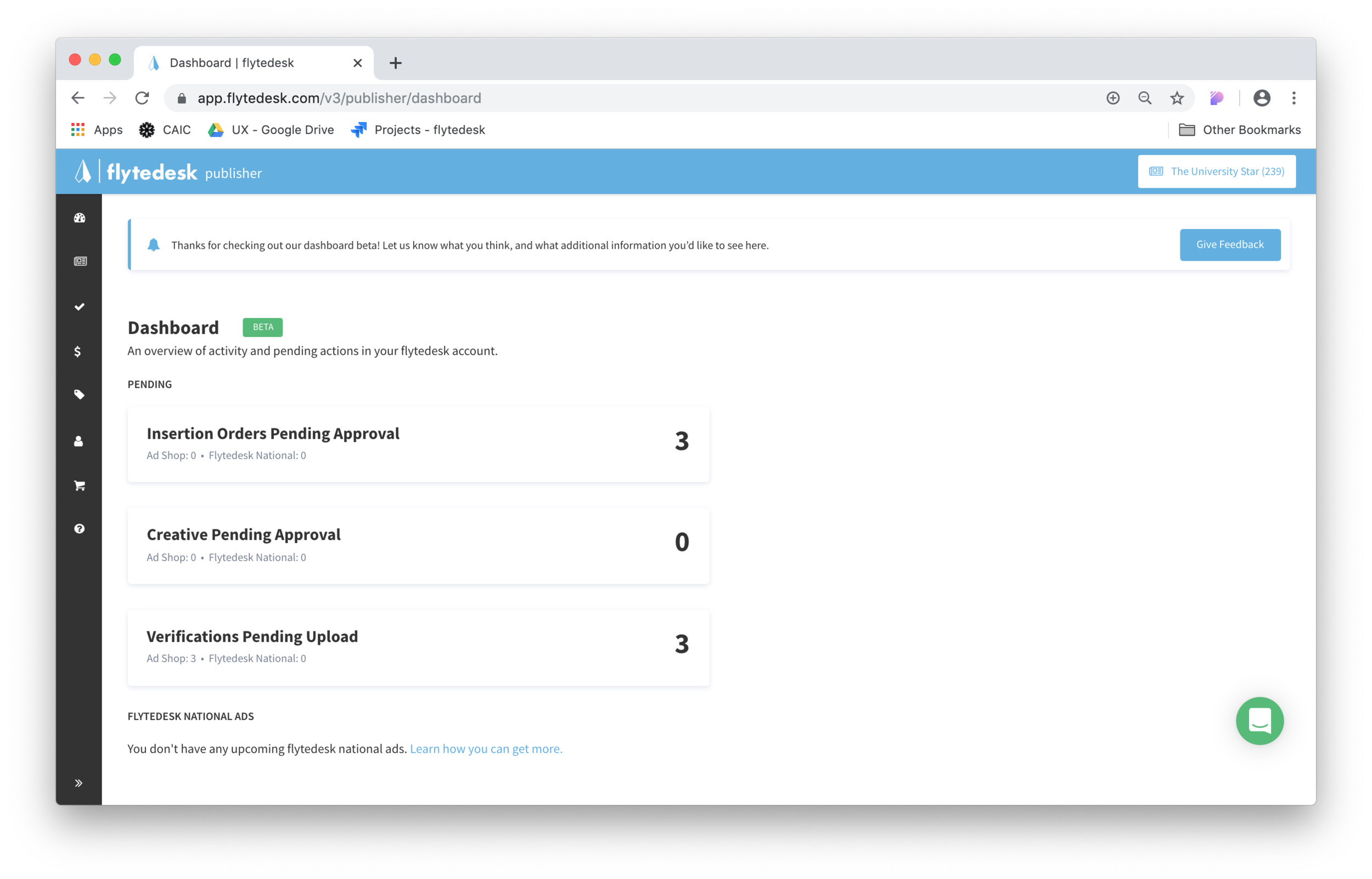
My focus for this project was to enable users to access information about their most pressing tasks from a single view. Pending actions, verifications, and general notifications that would have previously triggered separate emails are displayed alongside trackable statuses for campaigns set to go live in the upcoming days and weeks.
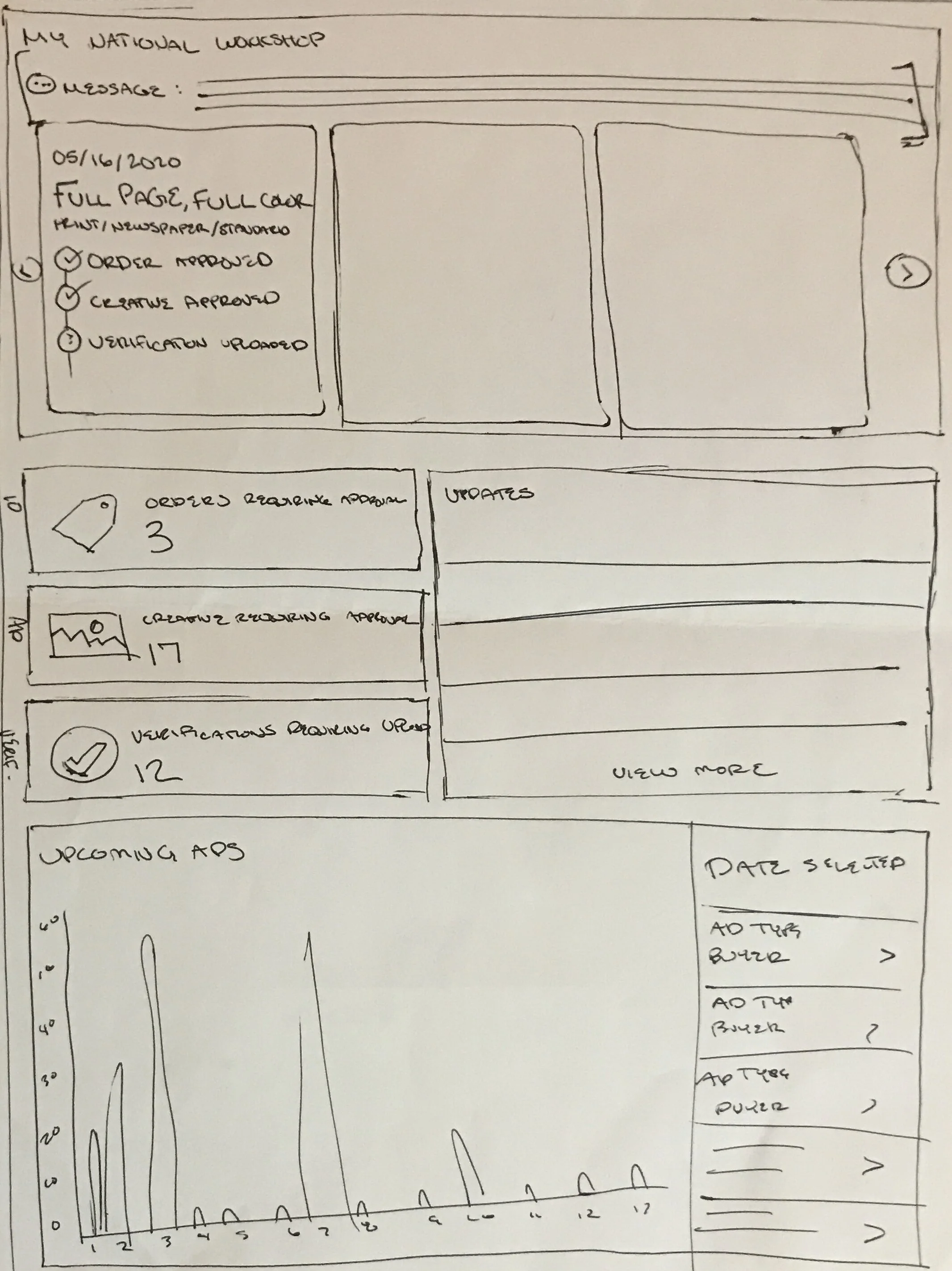
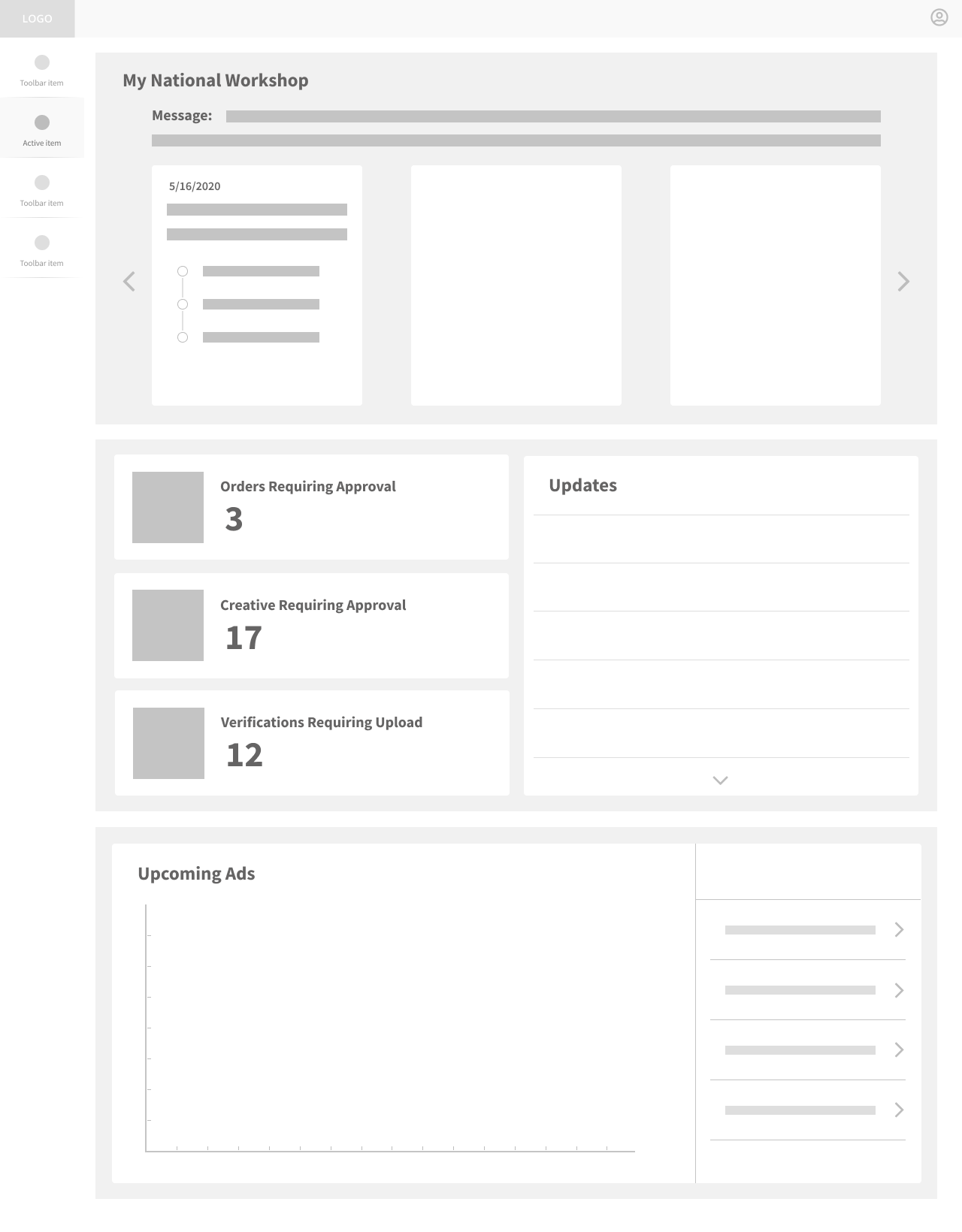

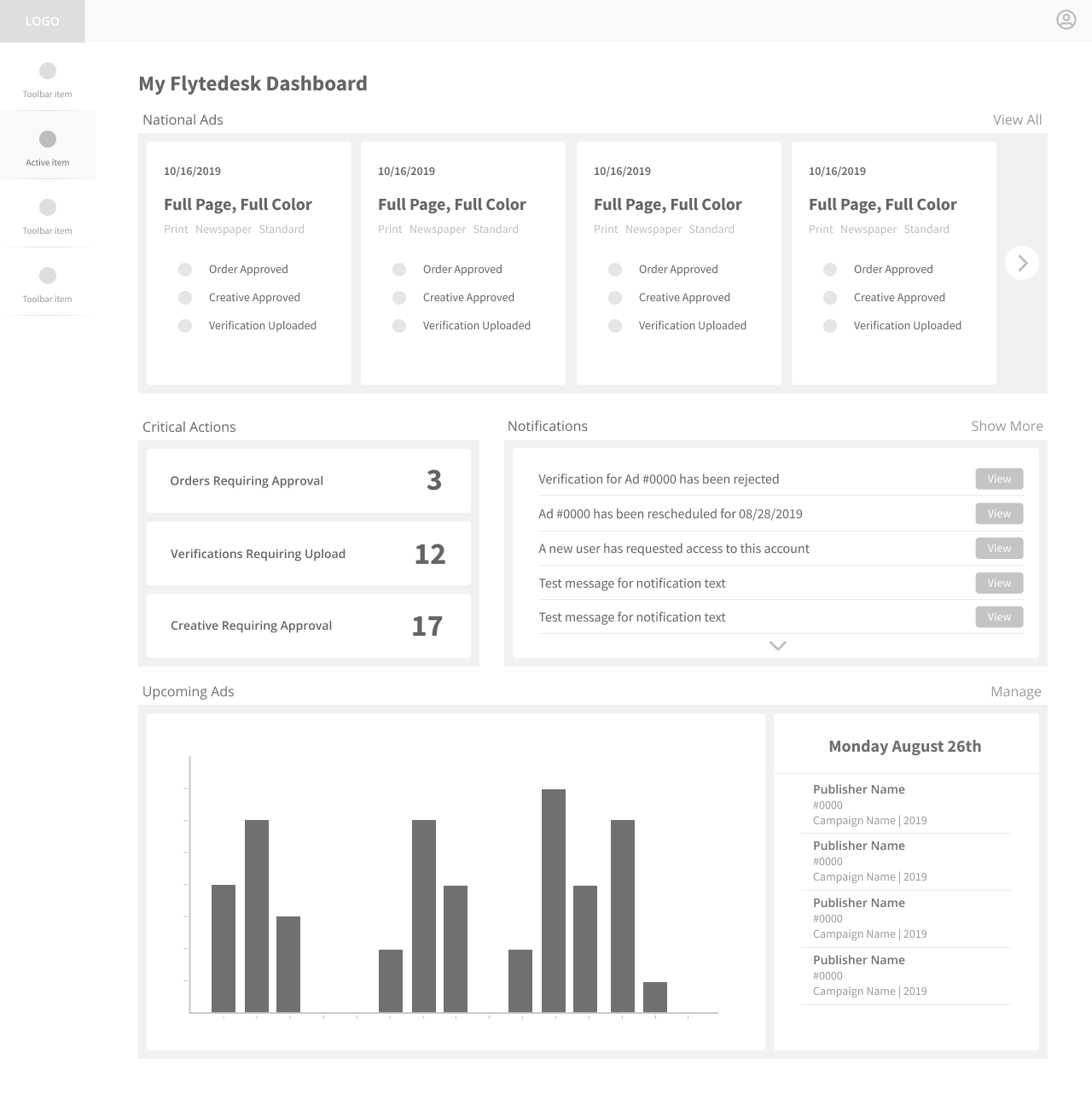
I conducted another round of user testing occurred after low fidelity wireframes were completed. A clear pattern emerged indicating a preference for notifications as the main focal point, so the high fidelity mockups reflect this feedback.
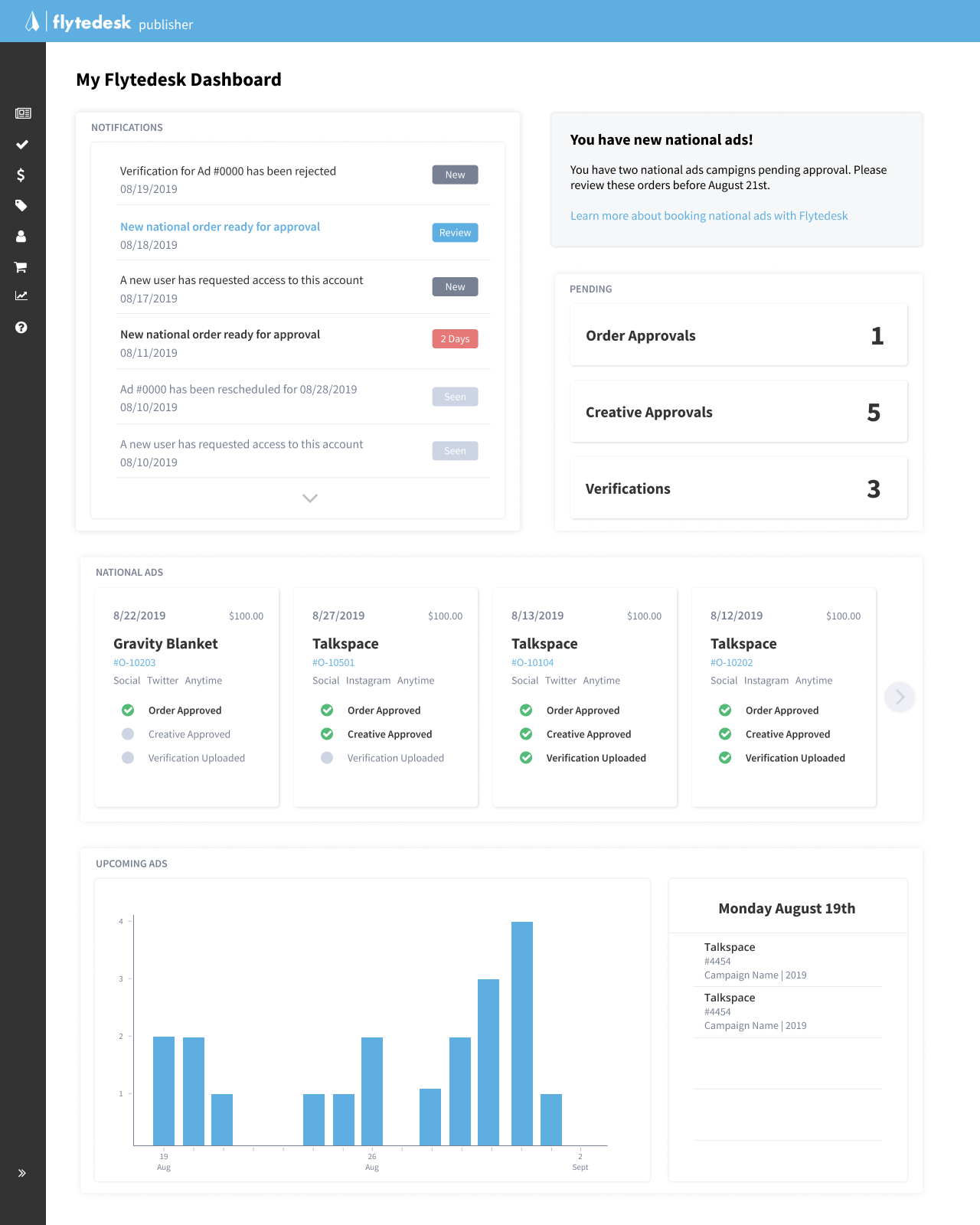
The longterm target for this project is a fully customizable dashboard with a variety of widgets that allow Flytedesk users to see exactly what is relevant to their specific workflows within the platform, but I believe there is also value in a static view of the most pressing actions as an introduction for existing users.
Responsive Ad Shop
I was also tasked with a project that spanned my time at Flytedesk - and sparked many internal debates from a business strategy perspective - related to the current state of the desktop optimized Ad Shop. It only took a few minutes experimenting with different browser sizes to understand that tablet and mobile were totally neglected in the current iteration that was live and available for all customers.
General usability aside, this was concerning because many local business ad sales occurred in the field. Ideally, providing these users with the ability to access their publication’s inventory from mobile devices would create a better first impression for buyers, reduce friction in the sales process, and ultimately lead to more revenue.
I began by sketching the existing desktop Ad Shop to familiarize myself with the general layout and then started with small screen brainstorms to highlight critical components.
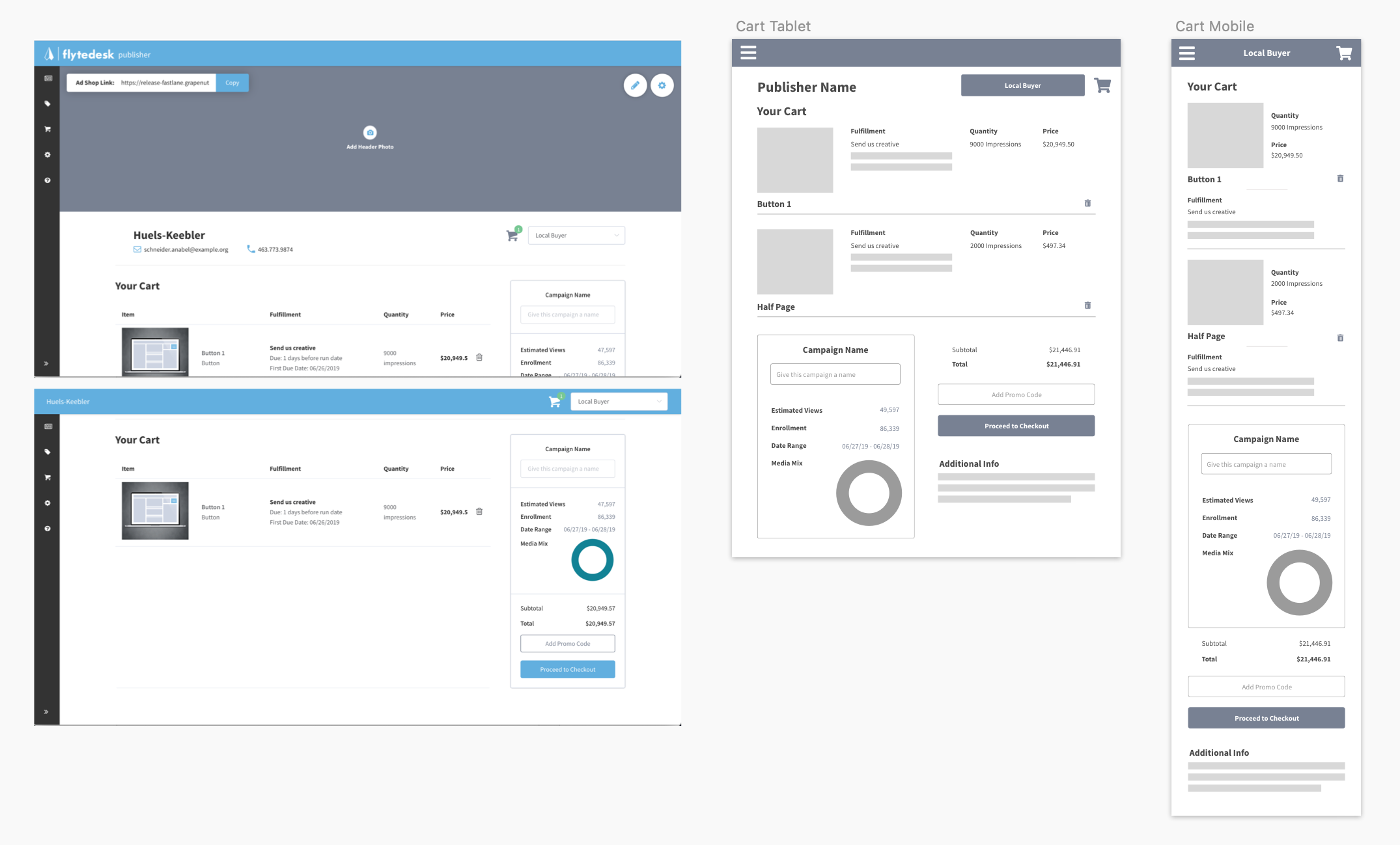
From there I began to create digital mockups for both mobile and tablet screen sizes.
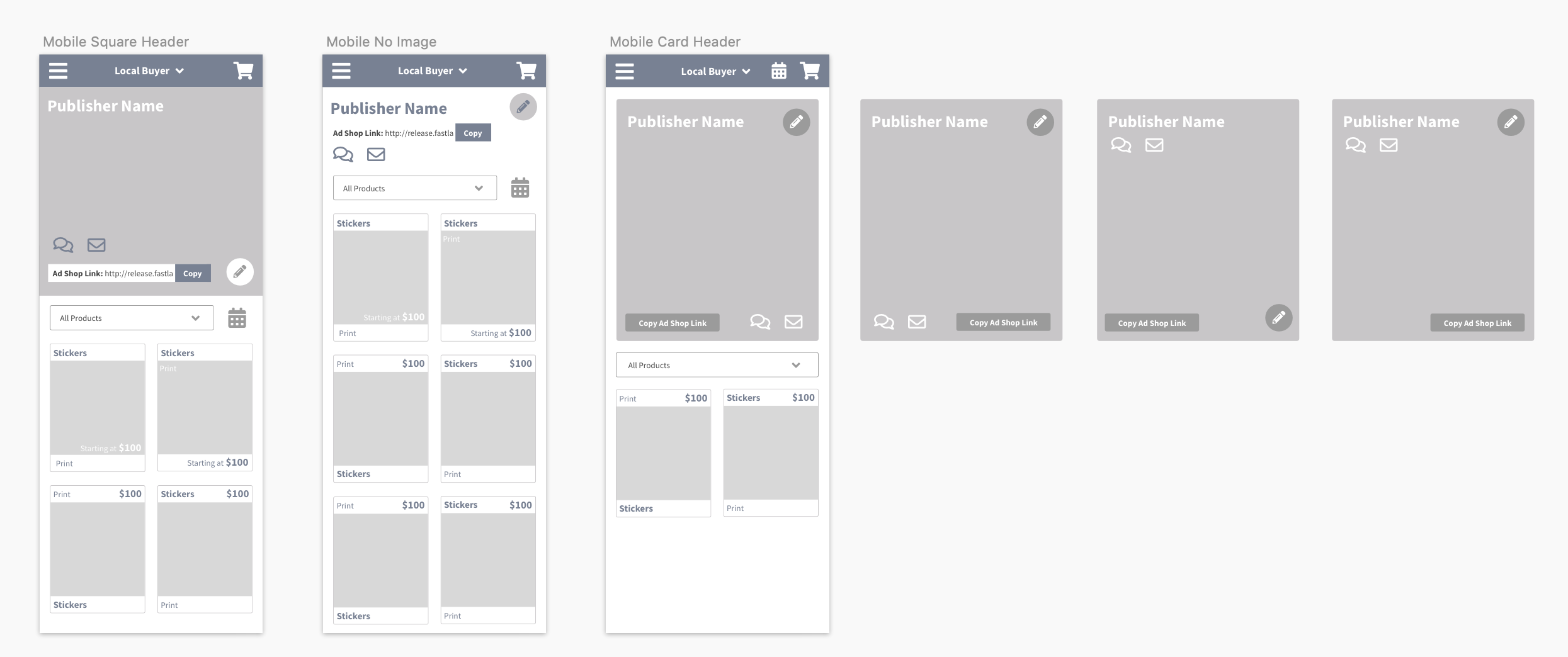
And explored options for new mobile-friendly displays that would include publisher branding.
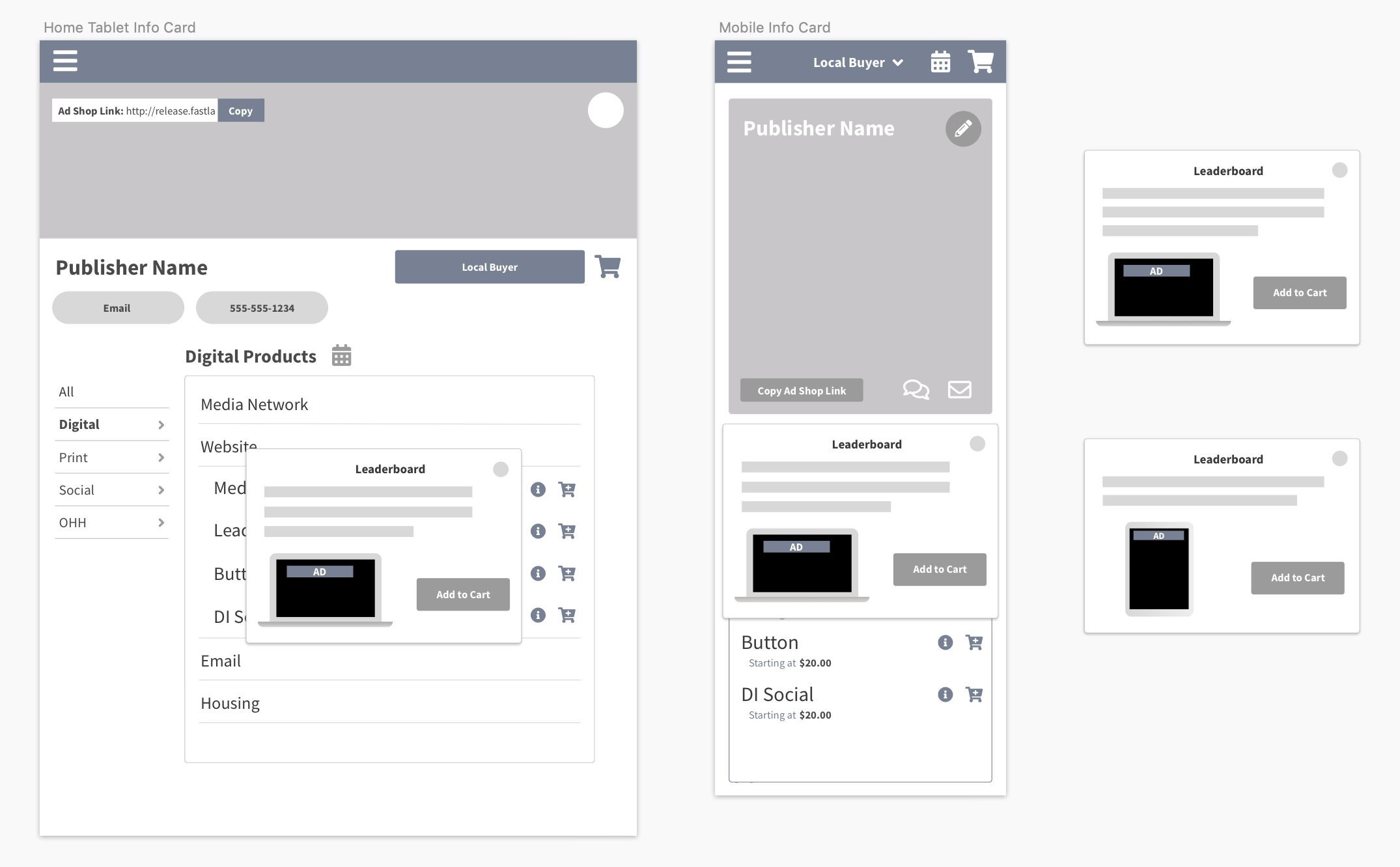
In the end this project was out of scope for further consideration within my internship. Next steps would include contextual inquiry with publisher field reps to better understand use cases that would streamline sales, along with more research of the local buyer persona - often a less tech savvy user with little experience in purchasing digital ads.
Summary - Initial Takeaways
I intend to continue refining these projects over time. When reflecting on the months I spent at Flytedesk, a few things stand out to me:
The team was constantly looking for ways to improve, and open to suggestions for how to perfect processes within teams and across departments (the major divide here, like many technology companies, was between sales and engineering priorities). I believe that maintaining this balance will be key in their success over time.
The world of college media was incredibly complex, which meant that the Flytedesk product was much more complicated and nuanced than I had initial anticipated. I had a ton of support from the product team, and was grateful to have the opportunity to work closely with engineering on my designs. This constant feedback loop was critical to my success.
A constant dialogue with (mostly) satisfied customers is key. The amount of insight I was able to gather from a half hour chat with a power user in the platform was incredibly valuable. Taking advantage of existing relationships and building rapport through new conversations had a huge impact on what I was able to accomplish in a relatively short amount of time.